
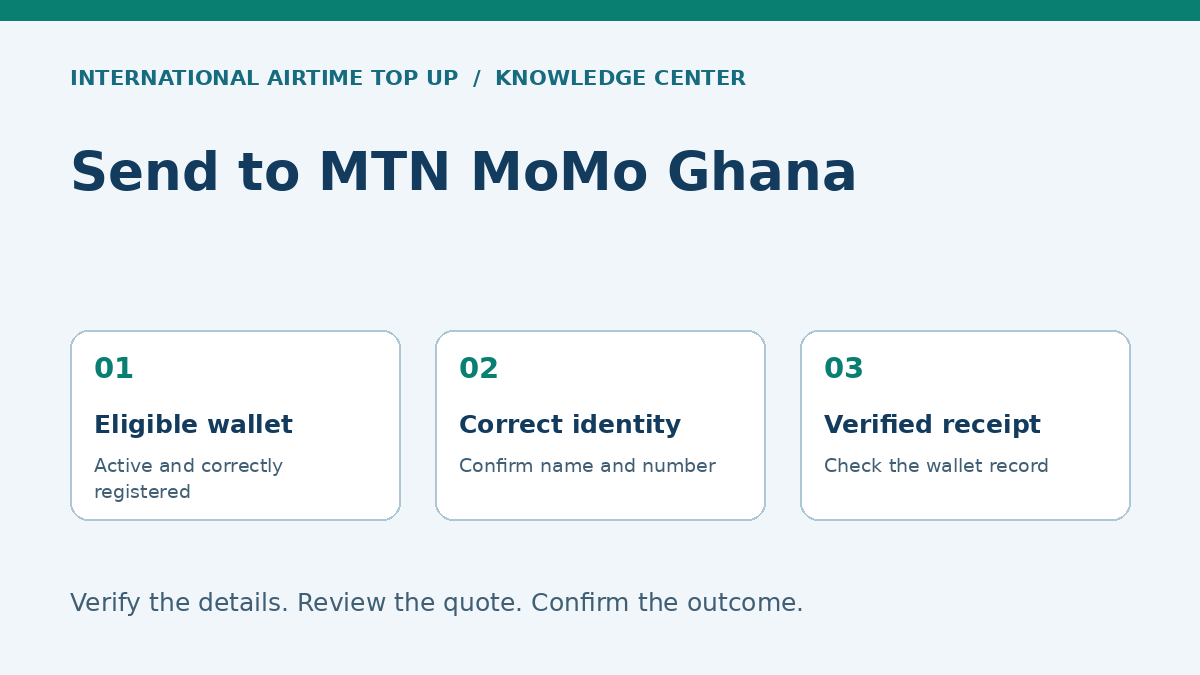
Sending directly to an MTN MoMo wallet in Ghana
An international transfer to an eligible MTN MoMo account in Ghana credits a mobile-money wallet rather than adding airtime. The recipient can then use the balance through the services available to that account, which may include supported payments, transfers or authorised cash withdrawal. The sender must select the correct Ghana wallet route, not simply enter an MTN phone number into an airtime form.
The most important preparation is to confirm the wallet's registered name, full number, account type and eligibility. A SIM used for calls is not proof that its wallet can receive a particular international transfer. Likewise, instructions for MTN MoMo in another country must not be assumed to apply to Ghana.
This guide covers a practical sender-and-recipient workflow. It does not guarantee availability through every provider or origin country. All scenarios are illustrative, and no live fee, limit or delivery-time guarantee is implied. Compare alternatives in the Ghana bank, wallet and cash guide if the wallet route is unsuitable.
Confirm that the selected provider supports this exact route
A service must support the sender's country, payment method, destination Ghana and MTN MoMo payout for the intended amount. The existence of an MTN option in another destination is not enough. Look for Ghana and the mobile-wallet receiving method in the current quote flow, then confirm the actual partner or wallet name shown.
Provider instructions can differ. WorldRemit's Ghana page, for example, requires an active, fully registered wallet and notes that its international transfers cannot be credited to MTN business mobile-money accounts. This is a concrete reason to check personal versus business-wallet eligibility, not an assertion that every provider has identical rules. Source: WorldRemit's Ghana wallet guidance.
If the route is unavailable, do not choose a merchant or another person's wallet merely to get past the screen. Ask the provider about a supported alternative and obtain the recipient's agreement. A bank deposit or authorised cash-pickup method may be more appropriate for that transaction.
Recipient readiness: five checks before the sender pays
- The wallet is active and registered to the intended recipient.
- The registered name is known and matches the beneficiary information being entered.
- The complete Ghana number and current wallet brand are confirmed.
- The account type is eligible for the chosen international service.
- The incoming amount fits the relevant transaction and balance limits.
The recipient should check their own account through official MTN Ghana or MoMo channels. They should not send their PIN, authentication code or security answers to the sender. Correct beneficiary information is necessary; access credentials are not.
An account may accept domestic activity while still being unsuitable for a given cross-border route. Registration status, identity information, wallet type and provider policy can all matter. Treat “I used the wallet yesterday” as useful context, not complete proof of international-remittance eligibility.
Use the Ghana number format and verify the name
Ghana's international country code is +233. Follow the transfer form's number example and avoid duplicating the country code if it is already selected. Where the form expects international format, a domestic trunk prefix is normally omitted; confirm the complete number with the recipient rather than altering digits from memory.
The National Communications Authority explains that mobile number portability lets subscribers retain their number when changing networks. A prefix therefore should not be used as the only method of identifying the current service. Ask the recipient which wallet is actually registered and investigate an unexpected network result. Source: Ghana NCA's portability explanation.
Enter the name held on the wallet record, including required name components. If the name shown by validation is different, stop and ask the recipient to verify the account. Do not ignore a mismatch because the number looks familiar. Do not replace the name with a guess until the form accepts it.
Step-by-step international transfer workflow
Step 1: Agree the amount and intended use
Ask whether the recipient needs to spend digitally or withdraw cash. Confirm the amount in the receiving currency and any deadline. This helps determine whether the wallet is the right destination and whether access or withdrawal costs should be included in the comparison.
Step 2: Open a verified transfer service
Use the official website or app and check the legal service information. Do not follow an unsolicited link promising an unusually high exchange rate. Where the service operates through partners, confirm who handles the payment and destination payout.
Step 3: Select Ghana and mobile-wallet delivery
Choose the Ghana destination and the specific supported MTN MoMo receiving option. Check that the form is for money transfer, not airtime recharge, merchant payment or a different country's wallet. Similar branding does not make those products interchangeable.
Step 4: Enter and verify beneficiary details
Enter the complete number and registered name exactly as confirmed. Review any name or wallet validation result. If the recipient has changed accounts since a previous transfer, independently confirm the change before replacing a saved beneficiary.
Step 5: Review the quote and conditions
Read the total sender payment, fee, exchange rate, expected GHS credit, funding method and arrival estimate. Check when the rate expires and whether the estimate starts after funding and verification. Ask about any unknown condition before authorising payment.
Step 6: Complete legitimate payment checks
Use an accepted funding source and complete the bank or provider's authentication within the official flow. A legitimate review may require documents or clarification. Do not share one-time codes with a caller who claims to accelerate the transfer.
Step 7: Retain the reference and confirm receipt
Save the receipt and monitor the official status. The recipient should check their actual wallet balance and transaction history through an official channel. An SMS alert is helpful but not the only evidence. Avoid repeating a pending transaction until its outcome is clear.
Fees, conversion and the amount available to spend
Separate the international transfer price from later wallet activity. The sender's fee and exchange rate determine the expected credit. A withdrawal or other subsequent service may have its own charge. A quote saying the recipient receives a stated balance does not automatically mean they can withdraw that entire balance without a fee.
Suppose a fictional transfer credits GHS1,000. If the recipient's intended cash withdrawal carries a hypothetical GHS10 cost, the practical cash outcome is GHS990 under that example. Those figures are not MTN's current tariff. Check the official charge applicable to the actual withdrawal amount and account rather than treating an illustration as a price list.
If the recipient can pay a legitimate merchant digitally, withdrawal may be unnecessary. Compare the relevant payment terms rather than assuming either cash or digital spending is always cheaper. The exchange-rate guide explains how to compare the sender side of the transaction.
Limits: why one published figure is not enough
Several limits can apply simultaneously: the sender's provider limit, a per-transfer restriction, a cumulative period limit and the recipient wallet's maximum balance. An amount below one limit can still exceed another. Limits can also vary with account status, verification and provider policy.
Ask the recipient to confirm available capacity before a substantial credit. If a wallet already holds money, the remaining headroom may be less than its overall ceiling. Do not ask the recipient to move funds through unknown third parties or split payments to avoid required checks.
For a payment that does not fit the supported wallet route, discuss a legitimate alternative with the provider. A bank-based or specialised payment route may be more suitable, particularly for business invoices or other purposes outside a personal wallet's eligibility.
Delivery timing and interpreting transaction status
Wallet delivery may be rapid when all conditions are met, but “mobile money” is not a universal instant guarantee. Sender funding, authentication, review, network availability, partner processing and wallet restrictions can affect timing. Save the estimate attached to your transaction.
“Payment received” can mean that the sender's funding reached the provider. “Processing” can mean the payout is not final. “Completed” generally indicates a final provider status, but the recipient should still verify the correct wallet record. Ask support what the label means for the actual route if there is any ambiguity.
If the status is completed but the wallet shows no matching credit, check the exact number and account first. Contact the transfer provider with the reference and ask whether a destination-partner reference is available. The recipient may also need to contact official wallet support. Keep the two enquiries linked to the same original transaction.
Troubleshooting by symptom
| Symptom | Check first | Safe response |
|---|---|---|
| Number not accepted | Ghana code, duplicated prefix and exact digits. | Reconfirm with the recipient before retrying. |
| Name mismatch | Registered wallet name and intended recipient. | Pause; resolve through legitimate account information. |
| Wallet ineligible | Registration, personal/business type and route support. | Ask about a supported alternative. |
| Limit rejection | Provider restrictions and available wallet headroom. | Seek provider guidance; do not evade checks. |
| Pending transfer | Funding, review and original estimate. | Follow the original reference without duplicating payment. |
| Credit received but no cash available | Authorised agent access and withdrawal conditions. | Use a legitimate alternative agent or supported digital payment. |
These checks do not replace an investigation. They organise the information needed to identify the problem. Avoid assuming that every delay comes from MTN: the incomplete stage may be with the funding bank or sending provider before the wallet has received an instruction.
Security at receipt and cash-out
The recipient should never reveal their wallet PIN to receive an international transfer. A caller claiming that a code is needed to “release” funds should be treated with suspicion. Verify through official support rather than following the caller's instructions or dialling a code they dictate.
Before cash-out, confirm the authorised agent and transaction amount. Keep control of the phone and read the approval screen. Do not approve an unfamiliar prompt simply because an agent or caller says it is routine. Check the balance and receipt afterwards and retain evidence of any discrepancy.
Unexpected requests to return an alleged mistaken payment require care. Check the actual wallet ledger and contact the provider; do not rely on a screenshot or send a separate payment to a new number. Read the safe-sending guide for a broader response checklist.
Practical Ghana MoMo scenarios
Regular family support
A sender transfers to the same verified personal wallet each month. Before a larger-than-usual payment, they confirm current capacity and the recipient's need for cash. They keep the receipt and do not assume that a previous small transfer proves the larger one will fit every limit.
A recipient supplies a business wallet
The recipient uses a merchant account in daily life. The sender checks whether the international route permits that account type. If not, they agree a legitimate supported destination rather than using a false personal description to push the order through.
An urgent transfer with a registered-name discrepancy
A recipient's contact nickname differs from the wallet's official record. The sender pauses to obtain the legitimate registered name. If validation still shows someone else, payment stops until the recipient and provider resolve it. Urgency does not make a mismatch harmless.
A delayed credit followed by a second request
The recipient has not seen an alert and asks for another transfer. The sender checks the original status and the recipient's wallet history before acting. This can prevent a duplicate payment when notification is late but credit has already occurred.
Prepare a useful support case without sharing credentials
An effective support enquiry includes the sender's transaction reference, creation date, amount, currencies, selected wallet route and current status. Describe the exact problem: number rejected before payment, funding pending, payout delayed, or completed status without a visible credit. These are different stages and may require different teams.
The recipient can separately confirm the wallet's active status and whether a matching transaction appears in their history. Where support requests evidence, use the official channel and remove unrelated balances or personal transactions where appropriate. Neither side should disclose a PIN, password or one-time authentication code as evidence.
Keep one timeline linking the sender-side and recipient-side enquiries. Note any destination reference the provider supplies and what the wallet provider says about it. If another support representative takes over, that record prevents the investigation restarting from an incomplete description.
Distinguish a remittance from an ordinary wallet payment
The wallet may display several kinds of transactions, but their underlying services and dispute procedures can differ. An international transfer ordered through a remittance provider is not necessarily tracked through the same reference as a local peer-to-peer payment. Ask the sender-side provider for the appropriate record rather than assuming a domestic menu can locate every international order.
A wallet number supplied by a merchant is also not automatically the correct destination for personal remittance. Check the account type and transaction purpose. If the intention is to settle a business invoice, use a route that explicitly supports that payment instead of describing it as a family gift.
The same brand operates in multiple countries, but local terms, identity processes and service menus can differ. A code or limit found in an article about Uganda or Nigeria should not be applied to a Ghana wallet. Use Ghana-specific official instructions and the selected provider's current route information.
Create a reliable routine for the next transfer
After a successful first payment, save the beneficiary through the official service if available. Record the registered name and a masked number in your own notes, but do not store the recipient's security credentials. Reconfirm details after a SIM change, account update, network change or unusually long gap between transfers.
Review the price and recipient outcome each time. A saved beneficiary does not freeze the exchange rate, fee, eligibility or limit. Before a larger payment, ask again about capacity and the intended use of funds. This is especially important when the recipient's wallet is already close to its balance ceiling.
Finally, agree a confirmation habit: the recipient checks the actual wallet record and tells the sender whether the expected amount arrived. This simple routine is more reliable than treating silence as success or automatically sending again when an alert is delayed. It also creates a clear record if a later payment needs investigation.
Frequently asked questions
Is sending to MTN MoMo the same as buying MTN airtime?
No. MoMo is a money-wallet destination, while airtime is mobile-service credit. Choose the correct transaction type before entering the number.
Does every MTN number in Ghana accept international transfers?
No. The wallet must satisfy registration, account-type, limit and route-specific eligibility requirements. Confirm these before paying.
Can I send to an MTN business wallet?
Do not assume so. Business-wallet restrictions can apply to international routes. Check the selected provider's current instructions and use a supported destination.
Does the recipient need to share a PIN to receive money?
No. The sender needs legitimate beneficiary details, not the recipient's PIN, password or authentication code.
What if the provider says completed but the wallet has no credit?
Verify the exact number and wallet record, then contact official transfer support with the reference. Ask whether a destination-partner reference is available for the recipient's enquiry.
Review your available options
Check the current destination, recipient requirements, total price and delivery conditions before confirming.
Explore available servicesSources and further reading
- WorldRemit: Ghana wallet eligibility and restrictions
- Ghana NCA: portability frequently asked questions
Information notice: General educational information, not individual financial, legal or regulatory advice. Eligibility, fees, exchange rates, limits, products and delivery conditions can change. Confirm the current provider and recipient requirements before payment. Illustrative figures and scenarios are not live quotations or customer case reports.