
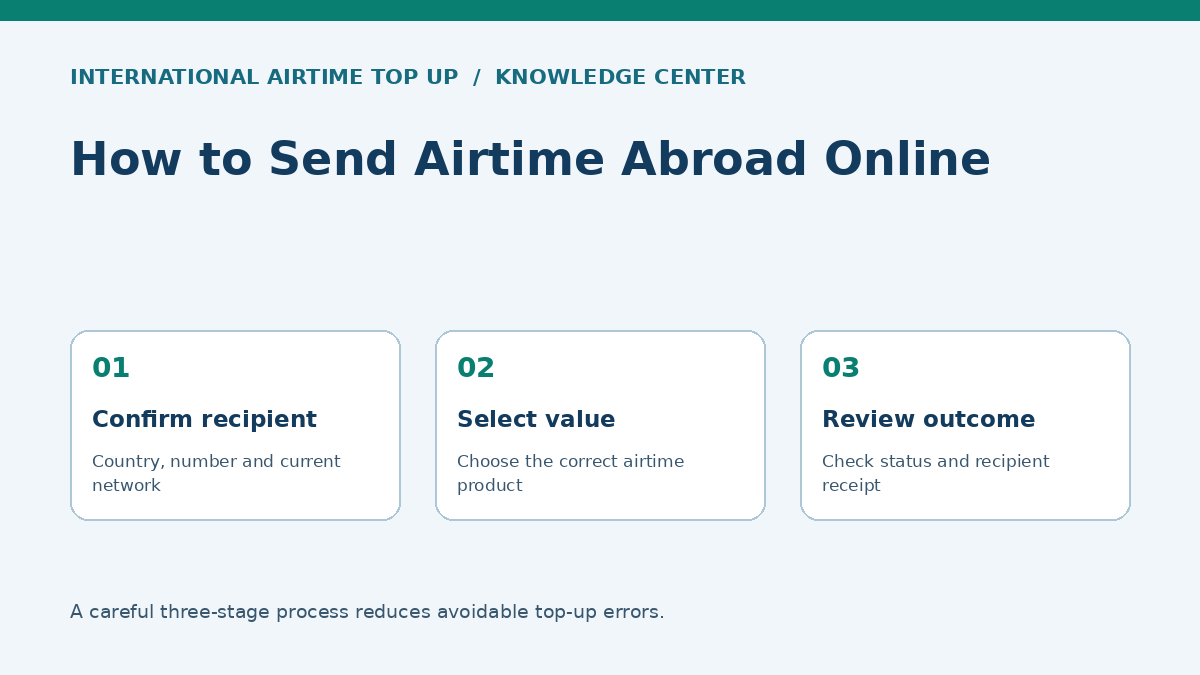
What you need before sending airtime abroad
- The destination country of the recipient's mobile service;
- the complete mobile number confirmed directly with the recipient;
- the current mobile operator, especially where number portability exists;
- whether the account is eligible prepaid service;
- whether the recipient needs airtime, data or a specific bundle;
- a supported secure payment method;
- an email address or account where the receipt can be retained.
Ask the recipient to send the number as text and then read it back in grouped digits. For a new or urgent request, verify the person's identity through a previously known channel. This simple pause prevents many wrong-number and impersonation losses.
How to send airtime abroad online in eight steps
1. Open the official service
Use a saved bookmark, type the known address or follow a verified company link. Check the domain spelling and HTTPS connection. Avoid payment links sent by unsolicited accounts or advertisements that imitate a known brand.
2. Choose the destination country
Select the country attached to the recipient's SIM or mobile account, not necessarily the country where the recipient is physically standing. A person roaming abroad may still use a home-country number.
3. Enter the number carefully
Follow the form's example for country code and national number. Do not add or remove digits by intuition. Compare the full number on the review screen with the recipient's confirmation.
4. Confirm the current operator
If the service detects an operator, review the result. If selection is manual, ask the recipient. A historical number prefix is not conclusive where mobile number portability is available.
5. Select airtime or the correct bundle
Read whether the product is general airtime, data, voice, social-media access or a promotion. Check allowance, validity, activation conditions and whether a bonus is included. Do not assume products with the same price have the same value.
6. Review the complete order
Check country, number, operator, denomination, recipient value, sender price, currency and any fee. Confirm that the recipient recognises the product and can use it.
7. Pay securely
Complete supported authentication within the official checkout. Never provide a card PIN, password or one-time code to a person in chat or on a phone call. Do not refresh repeatedly while payment is processing.
8. Save the receipt and confirm delivery
Retain the transaction reference and final status. Ask the recipient to check the operator balance or bundle through an official method. An SMS notification can help but should not be the only evidence.
International phone-number formatting without guesswork
An international-format number generally combines a country calling code with the national significant number. Many countries use a domestic trunk prefix—often zero—that is dialled locally but omitted after the country code. Rules are not universal, and a web form may handle the country code separately.
Illustrative formatting pattern
If a domestic mobile number is displayed as 0XX XXX XXXX and the selected country code is +999, the form may expect +999 XX XXX XXXX. This is a fictional pattern, not a rule for a particular country. Follow the destination's official numbering plan and the checkout example.
The ITU assigns international country calling codes under the E.164 numbering framework, while national authorities administer local numbering plans. A valid length does not prove the number belongs to the intended person. Always confirm ownership with the recipient.
Number-format mistakes to avoid
- Entering the country code twice because the form already inserted it;
- retaining a domestic trunk prefix when the form expects international format;
- dropping a genuine digit because it resembles a prefix;
- copying spaces, punctuation or hidden characters from a message;
- choosing the recipient's travel country instead of the SIM's home country;
- relying on caller ID alone to verify a changed number.
Operator selection, portability and product eligibility
Mobile number portability lets users keep a number when changing operators in markets where the service exists. Therefore, a prefix that once identified one network may no longer reveal the current network. Ask the recipient and use any operator-validation result presented during checkout.
A number can be structurally valid but ineligible because it is postpaid, inactive, barred, not supported for that product or outside the operator's recharge system. An airtime recharge also may not activate a data bundle automatically. Where the recipient needs internet access, compare a direct data product with general airtime and ask which is compatible with the current plan.
| Product label | Confirm before purchase |
|---|---|
| Fixed airtime | Recipient credit and sender price may differ by currency |
| Data bundle | Allowance, validity, eligible SIM type and activation |
| Voice/SMS bundle | Included minutes/messages, destinations and expiry |
| Promotional top-up | Bonus conditions, eligible users and permitted use |
| Variable value | Minimum, maximum, conversion and exact recipient value |
Paying securely and avoiding duplicate orders
Use a trusted device, current browser and private connection. Review the merchant name and amount shown by the payment authentication screen. Strong customer authentication may require confirmation in a bank app or a one-time code; complete it only in the legitimate payment flow.
If the page remains on “processing,” do not immediately submit again. Check the order history, email, card or bank status and official support guidance. A second attempt can create two valid top-ups because the first transaction may complete after a delay.
Never pay an unsolicited “release fee” after checkout. If additional verification is genuinely required, navigate independently to the official account or support page. Do not send identity documents to a social-media profile claiming to be support.
How to confirm delivery and resolve problems
- Read the platform status: pending, completed, failed or under review.
- Confirm the exact number, operator and product on the receipt.
- Ask the recipient to check the balance or bundle through the operator's official code, app or support.
- Allow for the provider's stated processing window and known operator maintenance.
- If completed but missing, contact official support with the reference and evidence; do not expose payment credentials.
- If failed, confirm whether the payment was reversed, voided or awaiting refund before trying again.
A card authorisation is not always a settled charge, and a failed order may still show a temporary hold. Banks and providers use different timelines for releasing holds or posting refunds. Ask the relevant institution for the transaction's actual status.
| Problem | Likely checks | Avoid |
|---|---|---|
| Recipient got no SMS | Check actual balance and final status | Assuming notification equals delivery |
| Order pending | Wait stated window; review payment status | Creating a duplicate immediately |
| Wrong operator | Contact support immediately | Guessing a replacement route |
| Wrong number | Contact support before operator acceptance if possible | Expecting guaranteed reversal |
| Bundle unusable | Check eligibility, activation and validity | Assuming airtime and data are interchangeable |
Four common sending scenarios
Scenario 1: Supporting a relative's monthly connectivity
The sender confirms whether the relative normally buys a 30-day data plan or uses airtime flexibly. Rather than choosing the largest promotional label, the sender checks allowance, expiry and total price. The receipt is saved so the household can compare value at the next purchase.
Scenario 2: A number copied with the wrong leading zero
The checkout displays a number one digit longer than expected. The sender pauses, checks the country-format example and asks the recipient to confirm. Correcting it before payment prevents a transaction to an invalid or unintended account.
Scenario 3: Operator changed after number portability
The sender's contact list labels the number as Network A, but the recipient confirms it moved to Network B. The sender uses the current network. Contact labels and old prefixes are helpful clues, not authoritative validation.
Scenario 4: Completed status, no visible balance
The recipient checks only an old SMS inbox and sees no alert. The sender does not repurchase. The recipient uses the operator's balance facility and discovers the credit is present. If it were absent, the sender would open one support case using the original reference.
60-second pre-payment checklist
- I independently verified the recipient and request.
- I selected the SIM's destination country.
- I checked the full number digit by digit.
- I confirmed the current operator rather than relying only on the prefix.
- I chose airtime or the intended bundle and checked validity.
- I reviewed sender price, recipient value, currency and any fee.
- I understand completed top-ups may be irreversible.
- I am paying on the official secure site using a trusted device.
- I will retain the receipt and will not duplicate a pending order.
Sending for a first-time recipient
For the first transaction, send an appropriate modest value rather than assuming a large order is more efficient. Confirm that the number and product work, then consider future support. This is not an instruction to split payments to avoid legitimate limits or checks; it is a way to reduce the impact of an honest setup mistake when the recipient's details have not been used before.
Ask the recipient to confirm receipt and describe what appeared: general balance, data allowance, bonus and expiry. This creates a reliable record for the next purchase and can reveal that the intended product behaves differently on the recipient's plan.
Receipts, privacy and support evidence
A useful receipt normally records the transaction reference, date, status, destination number in full or masked form, operator, product and payment amount. Store it securely. When contacting support, provide the reference and requested non-sensitive details through the official channel. Do not post a full phone number, receipt, identity document or payment information in a public comment.
Support should not need your password, card PIN or one-time authentication code. If someone claiming to be support asks for these, stop the conversation and navigate independently to the provider's official contact page. Preserve suspicious messages for reporting.
Refunds, reversals and card holds
Three outcomes are often confused. A reversal can release or return a payment after a transaction does not complete. A refund is a separate credit initiated after a charge has settled. A temporary authorisation hold may reduce available balance without becoming a final charge. The bank or card statement can display these differently.
The provider's ability to cancel the airtime itself depends heavily on whether the operator has accepted it. Once value reaches a valid number, it may be consumed immediately and recovery can be impossible. This is why the number-review screen is a substantive protection, not a routine box to click through.
How to make repeat top-ups safer
- Save the verified recipient inside the official account where the feature is available.
- Still confirm the recipient has not changed network, number or preferred product.
- Review saved recipients carefully; similar names can cause selection errors.
- Remove obsolete numbers from the address book.
- Enable account alerts and multi-factor authentication.
- Review transaction history for unexpected purchases.
- Do not let convenience replace final confirmation of the displayed number.
Frequently asked questions
What details do I need?
Usually the destination, complete number, correct operator where required, selected value or bundle and supported payment method.
Should I keep the leading zero?
Often a domestic trunk zero is removed after a country code, but rules differ. Follow the form's example and confirm with the recipient.
What if the number was ported?
Ask for the current operator and review any validated detection result; the original prefix may be outdated.
Why has the recipient not seen the airtime?
Check final status, exact number and operator balance. Allow for stated delays, then contact official support with the reference.
Is online top-up safe?
Use an official HTTPS service, trusted device, unique password and secure payment flow. Never share passwords, PINs or one-time codes.
Ready to send airtime abroad?
Verify the number and operator, choose the exact product, and review the complete order before confirming.
Send airtime onlineAuthoritative sources
- International Telecommunication Union — E.164 international numbering plan
- ITU — International numbering resources
- Ghana NCA — Number portability questions (Ghana example)
- US FTC — Impersonation-scam guidance
Information notice: General educational information only. Number formats, supported operators, products, prices, validity, payment methods and delivery conditions vary and can change. Always review the current checkout and provider terms.